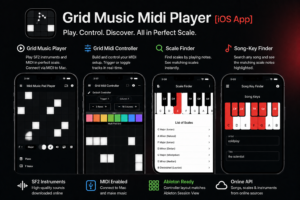
Grid Music Midi Player [iOS App]
Grid Music Midi Player – Play Instruments, Connect to Your DAW, and Master Music Theory on iPhone
Discover Grid Music Midi Player for iPhone. Play over 36 instruments, connect to Ableton Live, create MIDI controllers, learn scales, and perform with a unique 64-pad layout.
Grid Music Midi Player – A Complete Music Toolkit for iPhone Musicians
Whether you’re a beginner learning scales, a pianist looking for a new way to perform, or a music producer working inside Ableton Live, Grid Music Midi Player brings several powerful music tools together in a single iOS application.
Instead of focusing on just one feature, the app combines an instrument player, MIDI controller, scale finder, and song key finder into one easy-to-use package.
If you’ve ever wanted to:
- Play piano without carrying a keyboard
- Trigger clips and effects inside your DAW
- Learn musical scales visually
- Experiment with different instruments
- Connect your iPhone to Ableton Live
then Grid Music Midi Player was built with exactly these workflows in mind.
Download on the App Store:
Learn more:
Four Music Apps in One
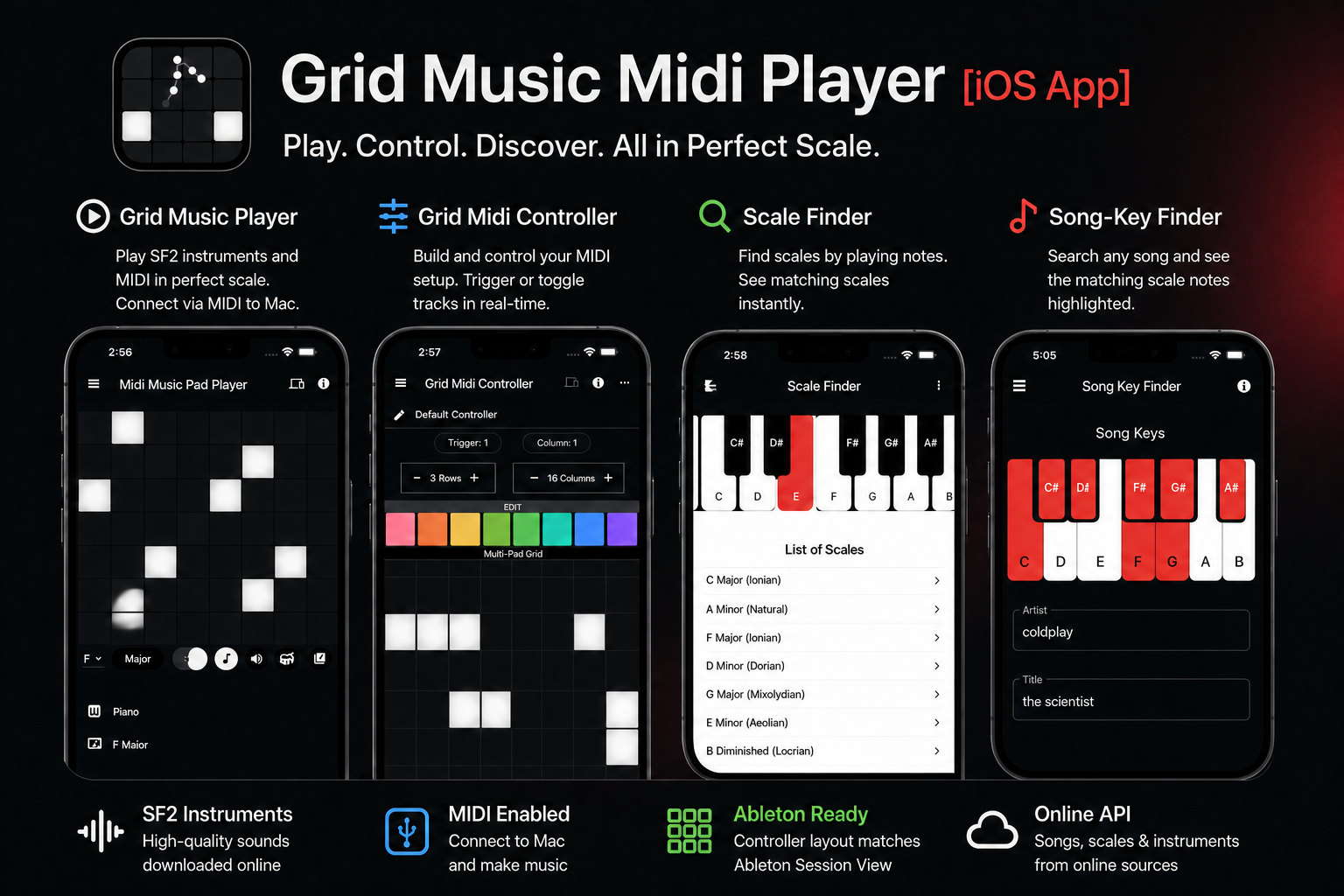
Grid Music Midi Player contains four major components:
- Grid Music Midi Player
- Grid MIDI Controller
- Scale Finder
- Song Key Finder
Each module serves a different purpose while sharing the same musical workflow.
Grid Music Midi Player
The main feature of the application transforms your iPhone into a playable musical instrument.
Unlike a traditional piano keyboard, notes are arranged on a 64-pad performance grid, allowing musicians to play scales and melodies with a comfortable geometric layout.
The default instrument is Piano, but additional instruments can be downloaded directly from within the app.
Main Features
- 64-pad performance layout
- Piano included by default
- 36+ downloadable instruments
- Major and Minor scale selection
- Root key selection
- Sharp (#) support
- Optional note display
- MIDI output
- SoundFont playback
- Works with external DAWs
This makes the application useful both for practice and music production.
Play in Any Scale
One of the most useful features is automatic scale mapping.
Instead of worrying about playing incorrect notes, you simply choose:
- Root note
- Major or Minor
- Sharp option
The pad layout automatically adjusts so every note belongs to the selected scale.
This makes improvisation much easier for beginners while also providing experienced musicians with an alternative performance layout.
Popular scales include:
- C Major
- F Major
- G Major
- D Minor
- E Minor
- B Minor
Changing scales only takes a tap.
Choose from More Than 36 Instruments
Grid Music Midi Player supports over 36 instruments, including:
- Piano
- Electric Piano
- Acoustic Guitar
- Strings
- Orchestra
- Rhodes
- Cellos
- Violas
- Violins
Additional SoundFont instruments can be downloaded directly inside the application (internet connection required).
Once downloaded, instruments can be selected instantly from the built-in library.
Connect Directly to Ableton Live
One of the biggest additions to the application is MIDI connectivity.
Rather than only playing sounds on the phone, Grid Music Midi Player can transmit MIDI notes directly to a computer.
The app has been tested with Ableton Live, allowing users to:
- Play software instruments
- Record MIDI performances
- Trigger synthesizers
- Control plugins
- Build ideas away from a physical keyboard
Simply connect your device using Apple’s virtual MIDI network and begin performing.
Switch Between SoundFont and MIDI Playback
Sometimes you want to hear the instrument directly from the phone.
Other times you only want your DAW to generate the sound.
The Speaker button lets you switch between:
- SoundFont playback
- MIDI playback
Long pressing the Speaker button immediately stops audio playback.
This makes switching between practice mode and production mode extremely convenient.
Drum Performance Mode
Grid Music Midi Player also includes dedicated drum layouts.
Features include:
- Separate drum pad grid
- 2× drum layout
- 4× drum layout
- MIDI drum playback
This makes it easy to perform drum patterns directly from the touchscreen.
Grid MIDI Controller
The second major component of the app is Grid MIDI Controller.
Instead of sending musical notes, this module sends MIDI control messages that can be mapped inside your DAW.
For Ableton Live users, this means you can build completely customised controller layouts.
Examples include:
- Clip launching
- Effect bypass buttons
- Scene launching
- Transport controls
- Sample triggering
- Lighting controls
- Macro controls
Design Your Own MIDI Controllers
Unlike fixed hardware controllers, the Grid MIDI Controller lets you create your own layouts.
Features include:
- Create unlimited controllers
- Save controllers
- Edit controllers
- Delete controllers
- Export controllers
- Import controllers
- Set default controller
This allows different controller layouts for different projects.
For example:
Studio Controller
- Mixer
- Record
- Play
- Stop
Performance Controller
- Clip Launch
- Effects
- Filters
- Scene Buttons
Lighting Controller
- Colour Triggers
- DMX Buttons
- Show Controls
Toggle or Trigger Pads
Each pad can work in two different ways.
Trigger Mode
The MIDI message is sent only while pressed.
Perfect for:
- Drum pads
- Clip launching
- One-shot samples
Toggle Mode
Press once to turn on.
Press again to turn off.
Ideal for:
- Effects
- Loops
- Lighting
- Mute buttons
Every pad can be configured individually.
Edit Mode
The built-in editor allows complete customisation.
Users can:
- Add rows
- Remove rows
- Add columns
- Remove columns
- Change column colours
- Assign Toggle/Trigger mode
Controllers are only saved while in Edit Mode, preventing accidental modifications during performances.
Import and Export Controllers
Once you’ve created the perfect layout, it can be shared.
The application supports:
- Export controllers
- Import controllers
- Backup layouts
- Restore controllers
This is especially useful when moving between devices or sharing layouts with collaborators.
Scale Finder
Learning music theory can sometimes feel overwhelming.
Scale Finder simplifies the process.
Simply tap multiple notes on the piano keyboard.
The application instantly lists every scale containing those selected notes.
For example, selecting:
F#
and
C#
returns scales that include those notes.
This is useful for:
- Song writing
- Improvisation
- Music theory
- Identifying compatible scales
Song Key Finder
Sometimes you know the artist and song title but not the musical key.
Song Key Finder provides a quick lookup interface where users enter:
- Artist
- Song
The application then helps identify the musical key, making it easier to practise or perform the song.
New Features Added During 2025
The latest release introduced several major improvements:
- Brand-new Grid MIDI Controller
- Save and delete options for instrument loading
- Long press to set default instruments
- Long press to set default controllers
- Improved speaker controls
- Switch between MIDI and SoundFont playback
These updates significantly expanded the application’s production workflow.
Features Introduced During 2024
Earlier updates focused on DAW integration.
Highlights included:
- Virtual MIDI support
- Ableton Live compatibility
- Drum playback modes
- MIDI note output
- Player volume control for DAW usage
- Dedicated MIDI connection screen
These additions transformed the application from a standalone instrument into a useful companion for music production.
Who Is This App For?
Grid Music Midi Player is suitable for:
Music Students
Learn scales without memorising complicated fingering.
Producers
Sketch melodies directly into Ableton Live.
Performers
Trigger clips, loops and MIDI controls.
Songwriters
Experiment with different scales and instruments.
Hobbyists
Play over 36 instruments without purchasing additional hardware.
Why Choose a Grid Layout?
Traditional piano keyboards are familiar but can be intimidating for beginners.
A grid layout offers several advantages:
- Consistent note relationships
- Easier scale navigation
- Compact touch interface
- Comfortable two-handed playing
- Portable musical practice
For many users, the grid quickly becomes an intuitive way to explore melodies and chords.
Final Thoughts
Grid Music Midi Player is much more than a virtual piano.
It combines performance, MIDI production, controller customisation, and music theory tools into one application for iPhone.
Whether you want to practise scales, control Ableton Live, trigger MIDI clips, or simply enjoy playing different instruments on a portable grid, the app provides a flexible toolkit for musicians at many skill levels.
If you’re looking for an iOS music app that blends instrument performance with practical production features, Grid Music Midi Player is well worth exploring.
Download Grid Music Midi Player
App Store: https://apps.apple.com/in/app/grid-music-midi-player/id6557062030
Official Portfolio: https://apps.mk117.dev/GridMusicPlayer/